Seeing a strange message or a flashing code on your glucometer screen can be stressful, especially when you need a reading quickly. It is important to know that a glucometer error code India rarely means your machine is broken beyond repair. Most of the time, these codes are simply reminders that a small mistake happened during the testing process. Learning basic glucometer troubleshooting India helps you fix the issue immediately, ensuring your diabetes management remains on track. This friendly guide walks you through the most common codes and provides straightforward solutions for every home user.
What To Do If Your Glucometer Shows Error Codes?
Don't panic! Understand your glucometer error code India and find quick fixes. Use this simple glucometer troubleshooting India guide to get back to accurate testing safely.
Apollo Pharmacy
Understanding the Warnings
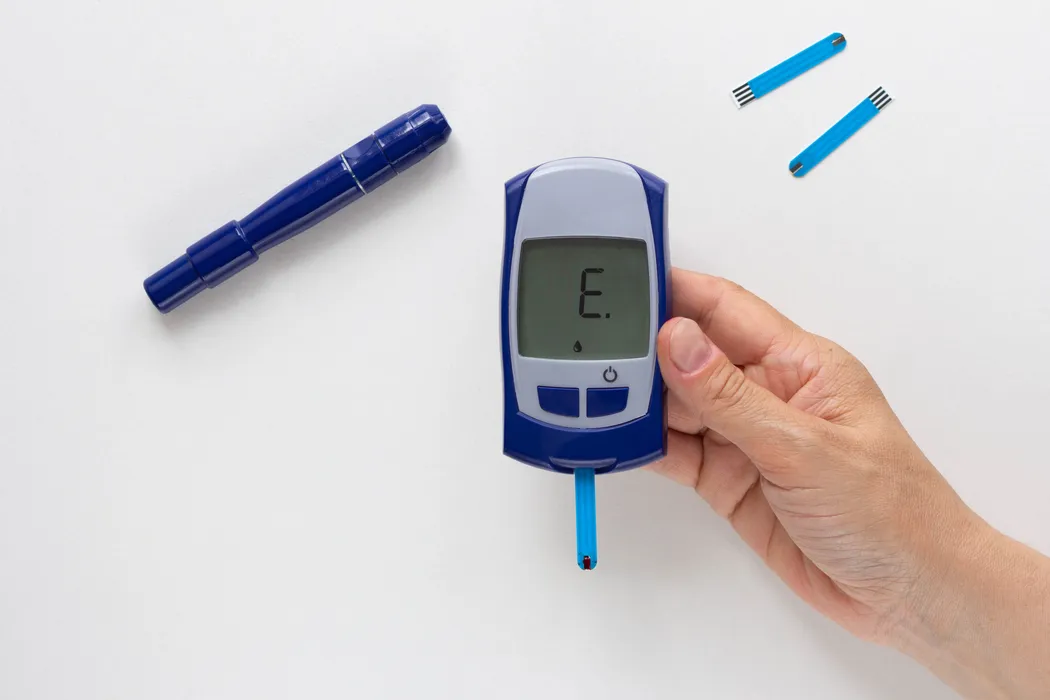
While the exact codes vary between brands, most glucometers use similar messages or codes to indicate specific problems. Familiarity with these common warnings reduces anxiety and helps you respond faster.
- E1 or Flashing Strip Icon: This often means the meter found an issue with the test strip inserted. The strip may be faulty, damaged, or not fully inserted into the port.
- E2 or Low Battery Icon: This code means the meter does not have enough power to complete the test accurately. You must replace the battery immediately before taking another reading.
- E3 or Code Mismatch: If your meter requires manual coding, this code indicates the number on the screen does not match the strip bottle code. This is a frequent cause of a glucometer error code India on older models.
- E4 or Temperature Error: The meter's internal sensor shows the device or test environment is too hot or too cold. Testing outside the acceptable temperature range gives unreliable results.
- Er or LO/HI Readings: These are usually not true errors, but warnings that the reading is outside the meter's measurable range. A 'HI' may mean dangerously high blood sugar requiring immediate action.
- E5 or Blood Sample Error: This code means an insufficient amount of blood was applied, or the blood was applied too late. The sample was too small for the meter to accurately process.
What They Are Trying to Tell You?
Every glucometer error code India is a specific instruction from the device about what went wrong and how to proceed safely. Decoding the error helps with precise glucometer troubleshooting India.
- Strip Insertion Issues: If the strip isn't fully seated, the meter can't establish electrical contact for testing. The strip must click or slide all the way into the slot.
- Expired Materials: Test strips have an expiration date and must be thrown away when that date is passed. Expired strips will not react correctly and will trigger an error.
- Improper Storage: Storing strips outside their original vial or leaving them exposed to humidity causes chemical degradation. Moisture ruins the chemicals on the strip.
- Environmental Extremes: Blood sugar readings are sensitive to temperature, so testing in a very hot car or cold room is prohibited. Move to a climate-controlled area before testing.
- Device Malfunction: Persistent errors, especially E1 or E3 that won't go away after trying a new strip, can signal an internal sensor problem. This requires professional attention or replacement.
- Insufficient Blood: If you tried to squeeze the blood sample onto the strip after the meter started counting down, it failed. The blood sample must cover the entire designated area.
Quick Fixes
Most error messages can be resolved quickly at home without needing to call support or replace your device. These simple steps handle the majority of glucometer error code India problems.
- Replace the Strips: Discard the strip currently in the meter and immediately try a brand new strip from an unopened vial. Sometimes the strip itself is the single problem.
- Wash and Dry Hands: If you received an E5 (sample error), wash your hands thoroughly to increase circulation and get a better blood drop. Drying hands fully prevents sample dilution.
- Check the Coding: If you see an E3, verify the code number on the meter screen matches the code on the strip vial exactly. Recode the meter if the numbers do not match.
- Change the Batteries: For E2, replace both batteries with fresh, new ones, even if the meter still appears to turn on. Always use the type of battery specified in the manual.
- Clean the Port: If errors persist, power off the meter and gently clean the strip insertion port with a dry cotton swab. Dust or debris often blocks the sensor.
- Relocate for Testing: If the code is temperature-related (E4), move the meter and strips to an indoor room temperature area for 15 minutes before retesting. This is easy glucometer troubleshooting India.
- Power Cycle: Remove the batteries, wait for about 30 seconds, and reinsert them. This simple reset can clear temporary electronic glitches.
Keeping Your Kit Ready
Having the right tools available makes effective glucometer troubleshooting India much easier and faster. Keep these items handy for quick problem resolution.
- Control Solution: Purchase the specific liquid control solution for your brand of meter. You use this solution to test the meter itself when you suspect it’s malfunctioning.
- Fresh Batteries: Always keep a spare, unopened set of the correct type of batteries near your kit. A dead battery is a common cause of a glucometer error code India.
- New Strip Vials: Do not let your test strip supply run low or rely on nearly expired vials. Fresh, correctly stored strips prevent many errors.
- User Manual: Keep the original instruction booklet or a digital copy easily accessible. The manual has the exact meaning of every error code.
- Alcohol Swabs: Essential for cleaning the lancing device and ensuring fingertip hygiene before testing.
When to Contact Support?
If basic glucometer troubleshooting India does not clear the glucometer error code India, or if you receive a specific, complex message, it’s time to contact the experts.
- Persistent Unresolved Errors: If you receive the same error code repeatedly, even after trying a new strip, new batteries, and cleaning the meter. This suggests a deeper internal issue.
- Code for Internal Fault: Some meters display an error code specifically indicating an internal hardware or circuit board failure. These errors are beyond home repair capabilities.
- Results Don't Match Symptoms: If the reading displays dangerously low or high, but you feel completely normal. Double-check with a control solution test before taking action.
- Failed Control Test: If the result of the control solution test falls outside the acceptable range printed on the strip vial. This indicates the machine is no longer reading accurately.
- Visible Damage: If you notice cracks in the plastic casing, a broken display, or damage to the strip port. Contact customer service for warranty or replacement options.
Conclusion
A glucometer error code India is simply your device asking for a little help, often due to a minor, easy-to-fix issue. By understanding the meaning behind the error and keeping up with simple glucometer troubleshooting India, you can quickly restore your meter’s functionality and continue your accurate blood sugar monitoring. Don't let a code derail your day—address it calmly and smartly.


