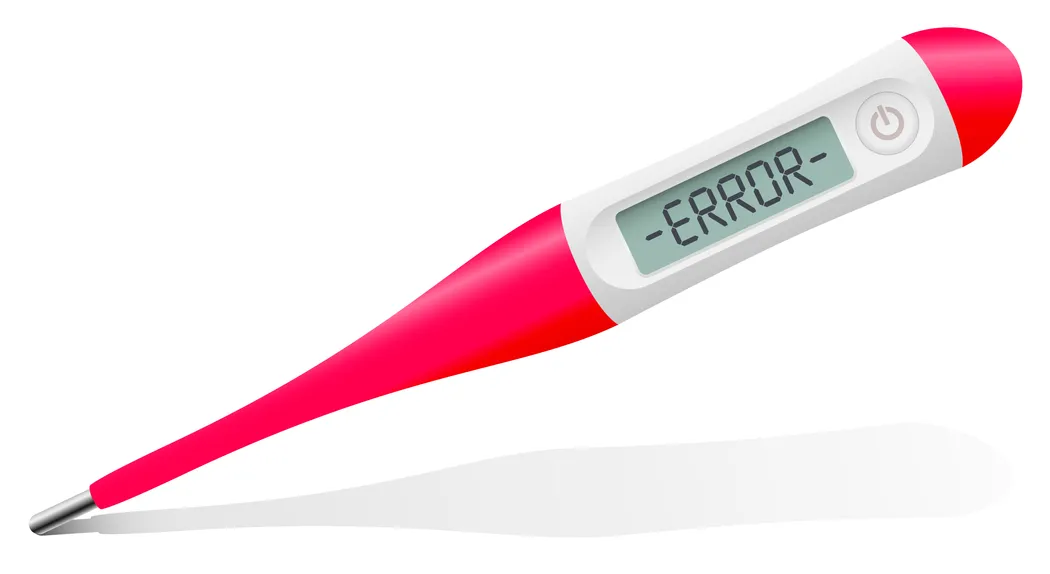
A digital thermometer is a necessary tool in any home or clinic, especially when monitoring fever. However, instead of a clear temperature reading, you might see a confusing message like 'Err,' 'Lo,' or 'Hi'. Seeing a thermometer error code India can be frustrating, particularly when you need a reading urgently. Don't worry, these codes usually don't mean your device is broken, but rather that something small went wrong during the process. This supportive guide offers simple advice for effective thermometer troubleshooting India to get you back to accurate temperature checking quickly.
What to Do When Your Thermometer Shows High or Low Errors
Seeing a thermometer error code India can be worrying. This simple guide offers easy steps for thermometer troubleshooting India and quick fixes.
Apollo Pharmacy
In this article
- Understanding the Common Codes
- Decoding the Problem
- Easy Ways to Fix It
- When to Purchase a New One (When to Replace?)
- Getting Help
- Conclusion
Understanding the Common Codes
Understanding the Common Codes
Digital thermometers use standard codes to quickly signal an issue during the measurement process. Recognizing these codes is the first step in resolving the problem effectively.
- "Lo" Display: This common code typically means the recorded temperature is below the thermometer’s measurable range. It often appears when the thermometer is not placed correctly on the body.
- "Hi" Display: The "Hi" code indicates that the measured temperature is higher than the thermometer’s maximum measurement limit. This code is rare during normal use and may point to an internal sensor issue.
- "Err" Display: This is a general code for a system error, indicating an internal malfunction or a technical fault. It could mean the test was interrupted or that the environment is too hot or cold.
- Battery Icon or "Bat": This simple indicator means the internal battery is low and needs replacement. Ignoring this will eventually lead to unreliable or inaccurate readings.
- Blank Screen or Flashing Numbers: This often suggests a poor connection between the sensor and the body part being measured.
Decoding the Problem
Decoding the Problem
When you see a thermometer error code India, it signals a specific type of user or environmental problem that needs addressing.
- "Lo" Context: The most frequent reason for 'Lo' is attempting an axillary (armpit) or oral reading on someone with a normal temperature. The surface temperature of the skin or mouth is often too cool for the sensor to register within the expected fever range.
- "Hi" Context: If the 'Hi' code appears, it might mean the thermometer sensor is contaminated or was recently exposed to extreme heat. It could also genuinely indicate a critically high, dangerous fever.
- "Err" Context: A key reason for the general 'Err' code is movement or interruption during the temperature-taking cycle. If the device is bumped or removed too early, the sensor cannot complete its reading.
- Temperature Outside Range: If the thermometer error code India appears, it means the reading falls outside the programmed range. This is a safety feature to prevent wrong readings when the thermometer is not in use.
- Poor Contact: Any moisture, clothing, or air gaps between the skin and the sensor tip will immediately trigger an error. Proper, continuous contact is necessary to accurately measure heat transfer.
Easy Ways to Fix It
Easy Ways to Fix It
Most issues causing a thermometer error code India can be resolved quickly using simple thermometer troubleshooting India steps.
- Fixing the "Lo" Code: Ensure the sensor tip is held snugly and fully surrounded by skin, such as deep in the armpit. Wait for the thermometer to beep or signal completion before removing it.
- Addressing "Hi" or "Err" (Heat): Clean the thermometer tip thoroughly with an alcohol swab, then wait 5-10 minutes for the device to return to room temperature. Repeat the measurement in a cool environment.
- Replacing Batteries: If the low battery icon shows, immediately replace the batteries with a fresh, new set. Low batteries are a frequent and overlooked source of all kinds of errors.
- Check the Instructions: Quickly refer to the instruction manual for your specific thermometer brand to see if the code means something unique. Different brands might assign slightly different meanings to the same code.
- Power Cycle: Turn the thermometer off completely, remove the batteries for 30 seconds, and then reinsert them. This simple reset often clears internal, temporary errors.
- Check the Sensor Tip: Inspect the tip for any visible damage, cracks, or residue that could block the sensor. A damaged sensor is a difficult fix and often means replacement is necessary.
When to Purchase a New One (When to Replace?)
When to Purchase a New One (When to Replace?)
While thermometer troubleshooting India often works, there are certain irreversible issues that indicate it’s time to buy a new device.
- Persistent "Err" Code: If you repeatedly get the 'Err' code even after replacing the batteries and trying the power cycle, the device likely has internal damage. A permanent sensor failure means the thermometer cannot function anymore.
- Cracked Casing or Display: Any visible damage to the plastic casing or the digital screen compromises the device's reliability and hygiene. Cracks can let in moisture, permanently damaging the circuits.
- Inaccurate Readings: If the reading seems unreasonably low or high, compare it with a different, known-accurate thermometer. Consistent differences indicate the calibration is severely off.
- Corroded Battery Compartment: White or green residue inside the battery area means the contacts are corroded by leaky batteries. Corrosion permanently affects the power supply and accuracy.
- Old Technology: If your thermometer is very old, investing in a newer, faster digital or non-contact infrared model might be worthwhile. Newer thermometers offer improved speed and user-friendliness.
Getting Help
Getting Help
If you are unable to fix the thermometer error code India yourself, reaching out to the manufacturer or the retailer is the next best step.
- Warranty Check: Locate your purchase receipt or warranty card to see if the thermometer is still covered for repair or replacement. Most devices have a warranty period ranging from six months to a few years.
- Customer Service Hotline: Call the customer support number listed on the box or in the user manual. They can provide specific steps for thermometer troubleshooting India based on your model.
- Online Guides: Many brands offer extensive troubleshooting guides or videos on their official Indian websites. Check their support section for information specific to your device's serial number.
- Local Clinic or Pharmacy: Sometimes, staff at a local clinic or pharmacy can offer quick, practical advice on common thermometer error code India issues. They deal with these devices frequently and know simple solutions.
Conclusion
Conclusion
A thermometer error code in India is typically a simple signal that requires a quick adjustment or resolution, not necessarily a major repair. By staying calm, quickly identifying the specific code displayed, and diligently following these simple thermometer troubleshooting tips, you can restore your device to reliability almost immediately. Since accurate temperature monitoring is vital for making correct health decisions, it is crucial to keep your device well-maintained, ensuring it is ready for use whenever you need it most. If the error persists despite troubleshooting, consider consulting the user manual or replacing the batteries before seeking a replacement.


